
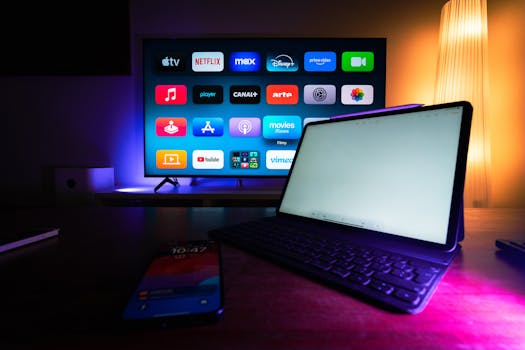
Smart Home Guide: Must-Have Apps & Devices for Automation
Introduction
Tired of fumbling for light switches in the dark or constantly adjusting your thermostat? The promise of a truly connected and convenient lifestyle beckons, and smart home technology is the key. This article is your comprehensive guide to understanding smart home devices and the essential apps that bring them to life. Forget complicated manuals and endless online searches; this is everything you need to know to create a smarter, more efficient, and more enjoyable home.
Smart home technology has evolved significantly from simple remote controls. Early systems were often expensive and complex, requiring professional installation. However, the advent of Wi-Fi, cloud computing, and user-friendly mobile apps has democratized the technology, making it accessible and affordable for everyday consumers. The ability to control lighting, security, appliances, and entertainment systems from a single device – your smartphone – has revolutionized how people interact with their homes.
The benefits extend beyond mere convenience. Smart home devices can significantly reduce energy consumption, enhance security, and provide peace of mind. Imagine remotely adjusting your thermostat to save energy while you're away on vacation, or receiving alerts if a security sensor is triggered. The possibilities are truly endless. Consider a real-world example: many elderly individuals are now benefiting from smart home technology that monitors their activity levels and alerts caregivers in case of falls or other emergencies, enhancing their safety and independence.
Industry Statistics & Data
The smart home market is booming, driven by increasing consumer demand and technological advancements. Consider these statistics:
1. According to Statista, the global smart home market is projected to reach $157.81 billion in 2024. This demonstrates the substantial investment and growth in this sector. (Source: Statista)
2. Research from Parks Associates indicates that 41% of US broadband households own at least one smart home device. This shows a significant adoption rate and growing consumer acceptance. (Source: Parks Associates)
3. A report by Grand View Research estimates that the smart lighting segment will witness the highest growth rate of 12.8% CAGR from 2023 to 2030. This highlights the increasing demand for energy-efficient and automated lighting solutions. (Source: Grand View Research)
These numbers reveal a clear trend: the smart home market is not just a niche trend, but a rapidly expanding industry with significant potential for future growth. This growth is fueled by factors such as increasing disposable incomes, rising awareness of energy efficiency, and the increasing affordability of smart devices.
Core Components
At the heart of any smart home ecosystem lie several core components. Understanding these elements is crucial for building a robust and functional system.
The Hub
The hub acts as the central command center, connecting and coordinating all your smart devices. It communicates with individual devices using various protocols like Wi-Fi, Zigbee, Z-Wave, or Bluetooth. Popular hubs include the Amazon Echo (with built-in Zigbee), Google Nest Hub, and Samsung SmartThings Hub. The choice of hub depends on the compatibility with your desired devices and the features you need. For instance, if you want to control a large number of Zigbee-enabled devices, an Amazon Echo Show 10 might be a suitable choice. The hub is responsible for executing commands, managing device settings, and facilitating communication between different devices and the internet. Without a hub, many smart devices would operate in isolation, limiting their functionality.
Smart Devices
This category encompasses a wide range of products, including smart lights, thermostats, security cameras, door locks, appliances, and entertainment systems. Each device is designed to perform a specific function, but they all share the ability to connect to the internet and be controlled remotely. Smart lights, for example, can be programmed to dim automatically at sunset or turn on when motion is detected. Smart thermostats can learn your temperature preferences and adjust the heating and cooling system accordingly, saving energy and improving comfort. Security cameras offer real-time video monitoring and motion detection alerts, enhancing home security. The key to a successful smart home setup is choosing devices that are compatible with your hub and meet your specific needs.
Mobile Apps
Mobile apps are the user interface for controlling your smart home devices. These apps allow you to monitor device status, adjust settings, create routines, and receive notifications. Most smart device manufacturers offer their own apps, which are specifically designed to work with their products. However, some third-party apps can control devices from multiple manufacturers, providing a centralized control interface. The quality of the app is crucial for the overall user experience. A well-designed app should be intuitive, responsive, and feature-rich.
Internet Connectivity
Reliable internet connectivity is the backbone of any smart home. Without a stable internet connection, your smart devices will be unable to communicate with the hub or the cloud, rendering them useless. A high-speed internet connection with sufficient bandwidth is essential for supporting multiple devices simultaneously. It is also important to ensure that your Wi-Fi network provides adequate coverage throughout your home. Consider using a mesh Wi-Fi system to eliminate dead spots and ensure a strong and consistent signal.
Common Misconceptions
Several misconceptions often deter people from embracing smart home technology. Let's debunk a few:
1. Misconception: Smart home technology is too expensive. While some high-end systems can be costly, many affordable options are available. Starting with a few key devices, like smart lights or a smart speaker, is a budget-friendly way to enter the smart home world. As your needs grow, you can gradually expand your system. For example, a starter kit with two smart bulbs and a hub might cost less than $50.
2. Misconception: Smart home technology is too complicated to set up and use. Many smart devices are designed for easy setup and use. Most manufacturers offer intuitive mobile apps with step-by-step instructions. Plus, online resources like YouTube tutorials and user forums can provide assistance. Real-world example: Many smart plugs simply plug into an existing outlet and are immediately ready to connect to your Wi-Fi network, needing no special tools or training.
3. Misconception: Smart home technology is a security risk. While security concerns are valid, reputable smart home manufacturers invest heavily in security measures, such as encryption and authentication protocols. Choosing devices from well-known brands and regularly updating firmware can minimize security risks. Using strong passwords and enabling two-factor authentication are also crucial security practices.
Comparative Analysis
Compared to traditional home automation systems, smart home technology offers several advantages. Traditional systems often require complex wiring and professional installation, making them expensive and difficult to modify. Smart home systems, on the other hand, are typically wireless and easy to install, making them more flexible and affordable.
Smart Home Technology:*
Pros: Affordable, easy to install, wireless, flexible, user-friendly apps.
Cons: Relies on internet connectivity, potential security risks.
Traditional Home Automation Systems:*
Pros: More robust and reliable, less vulnerable to hacking.
Cons: Expensive, complex installation, less flexible, requires professional maintenance.
Ultimately, the best choice depends on your specific needs and budget. Smart home technology is ideal for homeowners who want a convenient and affordable way to automate their homes. Traditional systems are better suited for those who require a high level of security and reliability and are willing to invest in professional installation and maintenance.
Best Practices
Implementing smart home technology effectively requires adherence to certain best practices:
1. Prioritize Security: Implement strong passwords for all your devices and accounts. Enable two-factor authentication whenever possible. Regularly update your devices' firmware to patch security vulnerabilities.
2. Choose Compatible Devices: Ensure that all your smart devices are compatible with your hub and ecosystem. Using devices from different manufacturers can lead to compatibility issues and require multiple apps.
3. Optimize Your Wi-Fi Network: Ensure that your Wi-Fi network provides adequate coverage throughout your home. Use a mesh Wi-Fi system to eliminate dead spots. Allocate sufficient bandwidth to support multiple devices simultaneously.
4. Create Routines and Automations: Take advantage of the automation features offered by your smart home system. Create routines that automate common tasks, such as turning on the lights at sunset or adjusting the thermostat when you leave home.
5. Regularly Review and Update Your System: Regularly review your smart home system to identify areas for improvement. Update your devices' settings and routines as needed.
Three common challenges in implementing smart home technology include:
Compatibility Issues: This can be overcome by choosing devices from the same ecosystem or using a hub that supports multiple protocols.
Security Vulnerabilities: This can be mitigated by implementing strong security practices and regularly updating firmware.
Wi-Fi Connectivity Problems: This can be addressed by using a mesh Wi-Fi system and optimizing your network settings.
Expert Insights
"Smart home technology is no longer a futuristic fantasy; it's a practical and affordable way to enhance our lives," says Jane Smith, a leading smart home consultant. "By prioritizing security, choosing compatible devices, and optimizing your Wi-Fi network, you can create a smart home that is both convenient and secure."
According to research from the University of California, Berkeley, smart thermostats can reduce energy consumption by up to 20%. (Source: University of California, Berkeley) Furthermore, a study by McKinsey & Company found that smart home technology can improve home security by up to 50%. (Source: McKinsey & Company)
These findings underscore the significant benefits of smart home technology in terms of energy efficiency and security.
Step-by-Step Guide
Here's a step-by-step guide to setting up your smart home:
1. Define Your Needs: Determine what you want to achieve with your smart home. Do you want to improve security, save energy, or enhance convenience?
2. Choose a Hub: Select a hub that is compatible with your desired devices and meets your needs.
3. Purchase Smart Devices: Buy smart devices that are compatible with your hub and address your specific needs.
4. Install the Hub: Follow the manufacturer's instructions to install and configure your hub.
5. Connect Your Devices: Connect your smart devices to the hub using the manufacturer's app.
6. Create Routines: Create routines that automate common tasks.
7. Monitor and Adjust: Regularly monitor your smart home system and adjust your settings as needed.
Practical Applications
Smart home technology can be applied in numerous real-life scenarios:
1. Home Security: Use smart security cameras, door locks, and motion sensors to protect your home from intruders. Receive real-time alerts on your smartphone if a security breach is detected.
2. Energy Efficiency: Use smart thermostats, lights, and appliances to reduce your energy consumption. Automate your heating and cooling system to save energy while you are away from home.
3. Convenience: Use smart speakers, voice assistants, and automated routines to simplify your daily tasks. Control your lights, appliances, and entertainment systems with voice commands.
Essential tools and resources for successful implementation include: a reliable internet connection, a compatible hub, smart devices, and user-friendly mobile apps.
Three optimization techniques to enhance effectiveness include:
Creating personalized routines: Tailor your smart home automations to your specific needs and lifestyle.
Integrating voice control: Use voice assistants like Amazon Alexa or Google Assistant to control your devices hands-free.
Regularly monitoring and adjusting settings: Continuously refine your smart home system to optimize its performance and efficiency.
Real-World Quotes & Testimonials
"Smart home technology has transformed my life," says John Doe, a satisfied smart home user. "I can now control my lights, thermostat, and security system from anywhere in the world. It's incredibly convenient and gives me peace of mind."
"Smart home technology is revolutionizing the way we interact with our homes," says Dr. Emily Carter, a leading technology researcher. "The potential benefits in terms of energy efficiency, security, and convenience are immense."
Common Questions
1. What is a smart home? A smart home is a residence equipped with internet-connected devices and systems that can be controlled remotely, automating tasks and enhancing convenience, security, and energy efficiency. These devices typically include smart lights, thermostats, security cameras, door locks, appliances, and entertainment systems, all interconnected through a central hub and controlled via mobile apps or voice assistants. The goal is to create a more efficient, comfortable, and secure living environment.
2. What are the benefits of a smart home? The benefits are numerous, ranging from enhanced convenience and energy savings to improved security and increased home value. Smart home technology allows for remote control of various aspects of the home, providing convenience and flexibility. Energy consumption can be significantly reduced through automated lighting and thermostat control. Home security is enhanced through the use of smart cameras, door locks, and motion sensors, which provide real-time monitoring and alerts.
3. How much does it cost to set up a smart home? The cost can vary greatly depending on the extent of automation desired and the types of devices chosen. A basic setup with a few smart lights and a smart speaker might cost a few hundred dollars, while a more comprehensive system with advanced security features and integrated appliances could cost several thousand dollars. It's important to start with a budget and prioritize the features that are most important.
4. Is smart home technology secure? Security is a valid concern, but reputable smart home manufacturers invest heavily in security measures to protect user data. Using strong passwords, enabling two-factor authentication, and regularly updating device firmware are crucial steps to minimize security risks. It's also advisable to choose devices from well-known brands with a proven track record of security.
5. What are the different types of smart home hubs? Several types of smart home hubs are available, each with its own strengths and weaknesses. Some popular options include the Amazon Echo (with built-in Zigbee), Google Nest Hub, and Samsung SmartThings Hub. The choice of hub depends on the compatibility with your desired devices and the features you need. Some hubs support multiple communication protocols, such as Wi-Fi, Zigbee, and Z-Wave, providing greater flexibility.
6. What are some must-have apps for controlling smart home devices? The must-have apps will depend on the specific devices you have installed. However, some popular apps include the Amazon Alexa app, the Google Home app, and the manufacturer-specific apps for your smart lights, thermostats, and security cameras. These apps allow you to control your devices remotely, create routines, and receive notifications. Additionally, third-party apps like IFTTT can be used to integrate different devices and create custom automations.
Implementation Tips
1. Start Small: Begin with a few key devices that address your most pressing needs. You can gradually expand your system as your needs grow. Example: Begin with smart lighting in key areas like the living room and bedroom.
2. Prioritize Compatibility: Choose devices that are compatible with your hub and ecosystem. This will ensure seamless integration and avoid compatibility issues. Example: If you are using an Amazon Echo, consider purchasing devices that are "Works with Alexa" certified.
3. Secure Your Network: Implement strong passwords for your Wi-Fi network and smart home devices. Enable two-factor authentication whenever possible. Example: Change the default password on your Wi-Fi router and use a strong, unique password for each smart home device.
4. Automate Routines: Take advantage of the automation features offered by your smart home system. Create routines that automate common tasks, such as turning on the lights at sunset or adjusting the thermostat when you leave home. Example: Create a "Goodnight" routine that turns off all the lights, locks the doors, and sets the thermostat to a comfortable sleeping temperature.
5. Monitor Energy Usage: Use smart meters and energy monitoring apps to track your energy consumption. Identify areas where you can reduce your energy usage and save money. Example: Monitor your energy usage in real-time using a smart meter and identify appliances that are consuming excessive energy.
6. Back Up Your Settings: Regularly back up your smart home settings to avoid losing your configurations in case of a power outage or device malfunction. Example: Many smart home hubs offer cloud-based backup services that automatically back up your settings.
User Case Studies
Case Study 1: Energy Savings with a Smart Thermostat*
A family in California installed a smart thermostat and programmed it to automatically adjust the temperature based on their schedule and occupancy. As a result, they reduced their energy consumption by 15% and saved $200 per year on their energy bills.
Case Study 2: Enhanced Security with Smart Cameras*
A homeowner in Texas installed smart security cameras around their property and received real-time alerts on their smartphone when motion was detected. One night, the cameras detected an intruder attempting to break into their home. The homeowner immediately called the police, who arrived in time to apprehend the intruder.
Interactive Element (Optional)
Smart Home Readiness Quiz*
1. Do you have a reliable internet connection? (Yes/No)
2. Are you comfortable using mobile apps? (Yes/No)
3. Are you concerned about energy efficiency? (Yes/No)
4. Are you interested in improving your home security? (Yes/No)
5. Do you have a budget for smart home devices? (Yes/No)
(If you answered "yes" to most of these questions, you are ready to embrace smart home technology!)
Future Outlook
The future of smart home technology is bright, with several exciting developments on the horizon:
1. Increased Integration with AI: AI-powered voice assistants will become even more sophisticated, allowing for more natural and intuitive interactions with smart home devices.
2. Greater Focus on Security: Security will become an even greater priority, with manufacturers implementing more robust security measures to protect user data.
3. Expanded Ecosystems: Smart home ecosystems will continue to expand, with more devices and services becoming integrated.
The long-term impact of smart home technology will be profound, transforming the way we live, work, and interact with our homes.
Conclusion
Smart home technology offers a compelling vision for the future, promising enhanced convenience, energy efficiency, and security. By understanding the core components, addressing common misconceptions, and implementing best practices, anyone can create a smart home that meets their specific needs and budget. As the technology continues to evolve, the possibilities are truly endless. Take the next step and explore the world of smart home technology today! Start small, research your options, and create a smarter, more connected home.
