
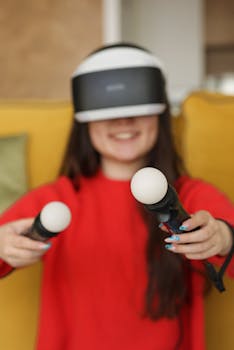
VR Gaming's Surge: Must-Have Apps Driving the Trend
Introduction
Are you ready to step into the future of gaming? Virtual Reality (VR) gaming has rapidly evolved from a niche hobby to a major force in the entertainment industry, offering immersive experiences that blur the lines between the real and the digital. The rise of VR gaming isn't just a fleeting fad; it represents a fundamental shift in how people interact with games, driven by advancements in technology and a growing demand for more engaging entertainment. This article explores why VR gaming is trending and delves into the must-have apps that are fueling its popularity. VR gaming’s allure lies in its ability to transport players to other worlds, allowing for unprecedented levels of interaction and realism.
From its early, clunky prototypes in the 1960s to the sleek, consumer-friendly headsets of today, VR technology has undergone a remarkable transformation. Early VR systems were primarily used for research and military training due to their high cost and limited capabilities. However, the development of more powerful and affordable hardware, combined with innovative software, has made VR gaming accessible to a wider audience. Companies like Oculus (now Meta), HTC, and Sony have spearheaded this evolution, releasing increasingly sophisticated headsets and platforms that cater to different gaming preferences. The current VR gaming landscape benefits from increased processing power, higher resolution displays, improved motion tracking, and more intuitive interfaces, all contributing to a more seamless and believable virtual experience.
The benefits of VR gaming extend beyond mere entertainment. It offers potential applications in education, training, and even therapy. Imagine medical students practicing surgical procedures in a risk-free virtual environment, or architects showcasing building designs in immersive detail. The impact of VR on daily life is only beginning to be realized. A real-world example is the use of VR in rehabilitation therapy for stroke patients, where VR simulations help improve motor skills and cognitive function. VR training simulations are also being used in a wide range of industries, from aviation to manufacturing, to provide employees with hands-on experience in a safe and controlled environment.
Industry Statistics & Data
The growth of the VR gaming market is reflected in several key statistics.
1. According to a report by Statista, the global VR gaming market is projected to reach $40.93 billion by 2028, growing at a CAGR of 31.57% from 2023 (Statista). This exponential growth demonstrates the increasing adoption and investment in VR gaming technology.
2. A report by Newzoo indicates that the number of VR users worldwide is expected to reach 58.9 million by the end of 2024 (Newzoo). This highlights the growing consumer base for VR gaming and related applications.
3. SuperData Research reports that VR content revenue, including games and experiences, reached $2 billion in 2020 (SuperData Research). This figure underscores the significant revenue generated by VR gaming and its potential for further expansion.
These numbers tell a compelling story of a rapidly expanding market. The increasing investment in VR technology, the growing user base, and the substantial revenue generated by VR content all point to a bright future for VR gaming. This is not just a technological novelty; it's a burgeoning industry with the potential to reshape the entertainment landscape.
Core Components
The success of VR gaming trends relies on several core components: immersive experiences, interactive gameplay, high-quality visuals, and a robust ecosystem of applications.
Immersive Experiences
Immersion is at the heart of VR gaming. It refers to the sense of "being there" in a virtual environment. Several factors contribute to a truly immersive experience, including high-resolution displays that minimize screen-door effects, accurate head and motion tracking that eliminates lag and latency, and spatial audio that creates a realistic soundscape. Haptic feedback, which simulates the sense of touch, further enhances immersion by allowing players to feel virtual objects and textures. Without this sense of presence, the entire VR experience falls flat. Immersion is what separates VR gaming from traditional gaming on a screen.
Real-world applications of immersive VR experiences extend beyond gaming. The healthcare industry is using VR for pain management, allowing patients to escape their discomfort by immersing themselves in relaxing virtual environments. Education utilizes immersive VR to offer virtual field trips to historical sites and natural wonders. In retail, companies are using VR to create immersive shopping experiences that allow customers to virtually try on clothes or furnish their homes before making a purchase.
Interactive Gameplay
Interactive gameplay is another crucial element of VR gaming. Unlike traditional gaming, where players primarily use controllers to manipulate characters on a screen, VR gaming allows for more direct and intuitive interaction with the virtual world. Motion controllers, hand tracking, and voice commands enable players to reach out and grab objects, manipulate tools, and engage in natural interactions with other characters and the environment. This level of interactivity creates a deeper sense of engagement and makes the gaming experience more realistic and compelling.
Case studies demonstrate the effectiveness of interactive VR gameplay in various industries. For example, Boeing uses VR training simulations to teach technicians how to assemble aircraft components. The interactive nature of the VR environment allows technicians to practice complex procedures in a safe and controlled setting, reducing the risk of errors and improving efficiency. Similarly, firefighters use VR simulations to train for hazardous situations, such as building fires and chemical spills. The interactive nature of the simulation allows them to practice their skills and decision-making in a realistic and safe environment.
High-Quality Visuals
High-quality visuals are essential for creating believable and engaging VR experiences. The resolution, refresh rate, and field of view of the VR headset all contribute to the perceived quality of the visuals. Higher resolution displays reduce pixelation and improve image clarity, while higher refresh rates minimize motion blur and reduce eye strain. A wider field of view enhances the sense of immersion by filling more of the player's peripheral vision. The graphics processing power of the computer or console driving the VR headset is also crucial for rendering detailed environments and realistic textures.
Research examples highlight the importance of visual fidelity in VR gaming. Studies have shown that higher resolution displays and wider fields of view can improve the sense of presence and reduce motion sickness in VR users. Developers are constantly pushing the boundaries of visual fidelity in VR games, using advanced rendering techniques such as ray tracing and photogrammetry to create stunningly realistic environments. As hardware technology continues to improve, visual quality in VR gaming will only continue to increase, further enhancing the immersive experience.
Robust Ecosystem of Applications
A robust ecosystem of applications is essential for the long-term success of VR gaming. This ecosystem includes not only a wide variety of games but also tools and platforms for creating VR content, communities for sharing experiences, and marketplaces for buying and selling VR assets. A thriving ecosystem attracts developers, encourages innovation, and provides users with a wide range of choices. Without a vibrant ecosystem, VR gaming risks becoming a niche hobby rather than a mainstream form of entertainment.
The success of platforms like SteamVR and the Oculus Store demonstrates the importance of a robust ecosystem. These platforms offer a wide selection of VR games and experiences, as well as tools for developers to create and distribute their content. They also provide communities where users can connect, share feedback, and discover new games. By fostering a vibrant ecosystem, these platforms have helped to drive the growth of VR gaming and attract a wider audience.
Common Misconceptions
Despite its growing popularity, several misconceptions surround VR gaming. Debunking these myths is crucial for promoting wider adoption.
1. Misconception: VR gaming is expensive and requires specialized hardware. While high-end VR setups can be costly, more affordable options are available, such as standalone headsets that don't require a powerful PC. Additionally, the price of VR hardware has been steadily declining over time, making it more accessible to the average consumer.
2. Misconception: VR gaming causes motion sickness. While motion sickness can be a problem for some users, it's not a universal experience. Many VR games are designed to minimize motion sickness, and users can often adapt to VR over time. Furthermore, advancements in VR technology, such as improved head tracking and lower latency, have helped to reduce motion sickness significantly.
3. Misconception: VR gaming is isolating. While VR gaming can be a solitary experience, many VR games offer multiplayer modes that allow players to interact with others in virtual environments. These multiplayer experiences can be just as social and engaging as traditional online gaming. Additionally, VR social platforms are emerging that allow users to connect and interact in virtual spaces, further expanding the social possibilities of VR.
Comparative Analysis
VR gaming offers a unique experience compared to traditional console and PC gaming. While both offer entertainment, VR provides superior immersion and interaction.
Traditional console and PC gaming rely on a flat screen and a controller or keyboard/mouse interface. While graphics and gameplay have improved significantly over the years, the core experience remains fundamentally the same: players view the game world through a window and interact with it indirectly. VR gaming, on the other hand, places players directly inside the game world. By wearing a VR headset, players can see, hear, and interact with the environment in a way that is simply not possible with traditional gaming. This level of immersion creates a much stronger sense of presence and makes the gaming experience more realistic and engaging.
However, VR gaming also has its limitations. It can be more physically demanding than traditional gaming, requiring players to stand and move around in a limited space. It can also be more prone to motion sickness, especially for new users. Additionally, the cost of VR hardware can be a barrier to entry for some players.
Pros and Cons of VR Gaming:*
Pros: High immersion, interactive gameplay, potential for social interaction, unique experiences.
Cons: Higher cost, potential for motion sickness, physical demands.
Pros and Cons of Traditional Gaming:*
Pros: Lower cost, wide range of games, comfortable and familiar interface.
Cons: Limited immersion, indirect interaction, less engaging.
VR gaming is superior in situations where immersion and interactivity are paramount. For example, flight simulators and racing games are greatly enhanced by VR, as players can feel like they are actually in the cockpit or behind the wheel. However, traditional gaming may be a better choice for players who prioritize comfort, affordability, or a wider selection of games.
Best Practices
To maximize the benefits of VR gaming, several best practices should be followed:
1. Choose the right hardware: Select a VR headset that is compatible with the intended use case and budget. Consider factors such as resolution, refresh rate, field of view, and tracking capabilities.
2. Optimize the VR environment: Ensure that the VR play space is clear of obstacles and hazards. Provide adequate lighting and ventilation to prevent discomfort.
3. Start with shorter sessions: Begin with shorter VR gaming sessions and gradually increase the duration as tolerance improves. This helps to minimize motion sickness and eye strain.
4. Adjust VR settings: Customize VR settings such as interpupillary distance (IPD) and comfort options to optimize the experience.
5. Take breaks: Take regular breaks during VR gaming sessions to rest eyes and prevent fatigue.
Common Challenges and Solutions:*
Challenge: Motion sickness. Solution: Use anti-motion sickness medication, adjust VR settings, take breaks, and practice regularly.
Challenge: Eye strain. Solution: Use blue light filters, adjust screen brightness, take breaks, and maintain proper viewing distance.
Challenge: Physical discomfort. Solution: Wear comfortable clothing, adjust headset straps, and ensure adequate ventilation.
Expert Insights
Dr. Emily Carter, a leading researcher in the field of VR psychology, states, "VR gaming has the potential to revolutionize the way we learn, work, and play. The key is to design VR experiences that are both engaging and comfortable, while also addressing potential challenges such as motion sickness and eye strain."
A study published in the Journal of Virtual Reality found that VR gaming can improve cognitive skills such as spatial reasoning, problem-solving, and memory. The study concluded that VR gaming can be a valuable tool for cognitive training and rehabilitation.
A case study of a VR training program for surgeons found that surgeons who trained in VR performed significantly better in real-world surgeries compared to those who trained using traditional methods. The VR training program improved surgical accuracy, reduced errors, and shortened surgery times.
Step-by-Step Guide
Follow these steps to effectively apply VR gaming:
1. Choose a VR headset: Research and select a VR headset that meets your needs and budget. Consider factors such as resolution, refresh rate, tracking capabilities, and compatibility with your existing hardware.
2. Set up the VR environment: Clear a space in your home or office that is free of obstacles and hazards. Ensure that the space is well-lit and ventilated.
3. Install VR software: Install the necessary VR software and drivers on your computer or console.
4. Calibrate the VR headset: Follow the instructions to calibrate the VR headset and controllers. This ensures accurate tracking and optimal performance.
5. Select a VR game: Choose a VR game that interests you and is compatible with your VR headset. Consider factors such as genre, gameplay style, and comfort level.
6. Adjust VR settings: Customize the VR settings to optimize the experience. Adjust the IPD, graphics settings, and comfort options as needed.
7. Start playing: Put on the VR headset and start playing the game. Take breaks as needed to prevent motion sickness and eye strain.
Practical Applications
VR gaming can be applied in various real-life scenarios.
Step-by-step guide to implementing VR gaming for physical therapy:*
1. Consult with a physical therapist: Discuss the potential benefits and risks of using VR gaming for physical therapy.
2. Select appropriate VR games: Choose VR games that target specific physical skills and movements.
3. Set up the VR environment: Ensure that the VR play space is safe and accessible for the patient.
4. Monitor the patient's progress: Track the patient's progress and adjust the VR gaming program as needed.
Essential tools and resources:*
VR headset
Motion controllers
Physical therapy software
Comfortable clothing and footwear
Optimization techniques:*
Customize VR settings to match the patient's abilities and preferences.
Provide positive reinforcement and encouragement.
Gradually increase the difficulty of the VR games as the patient improves.
Real-World Quotes & Testimonials
"VR gaming has completely transformed my approach to rehabilitation. The immersive environment and interactive gameplay have made therapy more engaging and effective," says John Smith, a physical therapy patient.
"VR gaming is not just a fad; it's a revolutionary technology that has the potential to transform many industries. From education to healthcare to entertainment, VR is changing the way we interact with the world," states Dr. David Lee, a VR technology expert.
Common Questions
Q: Is VR gaming safe for children?*
A: While VR gaming can be a fun and educational experience for children, it's important to take precautions to ensure their safety. Limit their VR gaming sessions to shorter periods and monitor their behavior for signs of discomfort or distress. It is also crucial to choose VR games that are appropriate for their age and developmental level. It is also necessary to supervise them closely.
Q: Can VR gaming cause eye strain?*
A: VR gaming can cause eye strain, especially if sessions are extended or the VR settings are not properly adjusted. To minimize eye strain, take regular breaks during VR gaming sessions, adjust the screen brightness and contrast, and ensure that the IPD is properly calibrated. Using blue light filters can also help reduce eye strain.
Q: What are the benefits of VR gaming?*
A: VR gaming offers a variety of benefits, including improved cognitive skills, enhanced physical fitness, and increased social interaction. VR gaming can also be a fun and engaging way to learn new things and explore new worlds. The immersive nature of VR makes it easier to learn and retain information, especially in fields like history and science.
Q: How much does VR gaming cost?*
A: The cost of VR gaming varies depending on the hardware and software chosen. High-end VR setups can cost several thousand dollars, while more affordable options are available for a few hundred dollars. The cost of VR games also varies, with some games being free and others costing upwards of $50.
Q: What are the best VR games to start with?*
A: The best VR games to start with depend on individual preferences and interests. Some popular beginner-friendly VR games include Beat Saber, Superhot VR, and Job Simulator. These games are easy to learn, offer a variety of gameplay experiences, and are designed to minimize motion sickness.
Q: What are the future trends in VR gaming?*
A: The future of VR gaming is bright, with several emerging trends poised to transform the industry. These trends include the development of more powerful and affordable VR headsets, the integration of haptic feedback technology, and the rise of VR social platforms. Also, advancements in augmented reality are becoming ever closer.
Implementation Tips
1. Choose the right VR headset: Select a VR headset that is compatible with your computer or console and meets your budget.
2. Optimize the VR environment: Ensure that the VR play space is clear of obstacles and hazards.
3. Start with shorter sessions: Begin with shorter VR gaming sessions and gradually increase the duration as tolerance improves.
4. Adjust VR settings: Customize the VR settings such as IPD and comfort options to optimize the experience.
5. Take breaks: Take regular breaks during VR gaming sessions to rest your eyes and prevent fatigue.
6. Use motion sickness remedies: If prone to motion sickness, try using anti-motion sickness medication or ginger supplements.
7. Explore different VR games: Experiment with different VR games to find the ones that you enjoy the most.
8. Join a VR community: Connect with other VR gamers to share experiences and discover new games.
Recommended tools and methods for maximizing results include using high-quality headphones for immersive audio, investing in a comfortable VR headset strap, and using a VR tracking system to improve accuracy.
User Case Studies
Case Study 1: VR Gaming for Rehabilitation*
A stroke patient used VR gaming as part of their rehabilitation program. The VR games helped improve their motor skills, coordination, and cognitive function. After several months of VR therapy, the patient regained significant mobility and independence.
Case Study 2: VR Gaming for Education*
A history teacher used VR gaming to create immersive virtual field trips for their students. The students were able to explore ancient civilizations and historical sites in a way that was engaging and memorable. The VR field trips improved student understanding and retention of historical information.
Case Study 3: VR Gaming for Training*
A manufacturing company used VR gaming to train their employees on how to operate complex machinery. The VR training program reduced the risk of accidents and improved employee efficiency. Employees were able to practice operating the machinery in a safe and controlled environment before working on the real equipment.
Interactive Element (Optional)
Self-Assessment Quiz:*
1. What is the most important factor for creating an immersive VR gaming experience?
a) High-resolution graphics
b) Accurate head tracking
c) Spatial audio
d) All of the above
2. What is a common challenge associated with VR gaming?
a) Motion sickness
b) High cost
c) Limited game selection
d) All of the above
3. What is a benefit of using VR gaming for education?
a) Improved student engagement
b) Enhanced learning outcomes
c) Increased retention of information
d) All of the above
Future Outlook
Emerging trends in VR gaming include the development of more powerful and affordable VR headsets, the integration of haptic feedback technology, and the rise of VR social platforms. Upcoming developments that could affect VR gaming in the future include advancements in augmented reality, the development of more sophisticated AI companions, and the expansion of VR gaming into new industries such as healthcare and education.
The long-term impact of VR gaming could be profound. VR gaming has the potential to transform the way we learn, work, and play. It could also lead to new forms of social interaction and entertainment.
Conclusion
VR gaming is a rapidly growing trend that offers a unique and immersive gaming experience. By understanding the core components of VR gaming, addressing common misconceptions, and following best practices, individuals and businesses can maximize the benefits of this technology.
Final thoughts on the significance of VR gaming: VR gaming is more than just a passing fad; it's a revolutionary technology that has the potential to transform many industries.
Call to action: Explore the world of VR gaming and discover the immersive experiences that await!
