
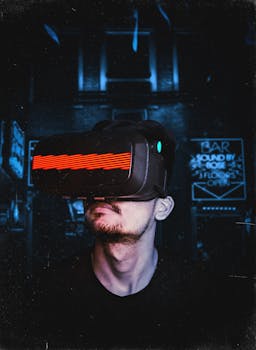
AR/VR Guide: Devices & Game-Changing Advancements (Beginner's)
Are you ready to step into the immersive worlds of augmented and virtual reality? These once-futuristic technologies are rapidly transforming industries and reshaping how we interact with the digital world. This beginner's guide will provide a comprehensive overview of AR/VR devices and their game-changing advancements.
Introduction
Imagine a world where you can try on clothes virtually before buying them online, collaborate with colleagues on a 3D design from different continents, or experience historical events as if you were there. This is the potential of Augmented Reality (AR) and Virtual Reality (VR). AR/VR technologies are no longer confined to science fiction; they are becoming increasingly accessible and integrated into various aspects of our lives. This beginner's guide delves into the core concepts, applications, and future prospects of AR/VR devices.
The journey of immersive technology began decades ago, with early attempts at head-mounted displays and virtual simulations. Ivan Sutherland's "The Sword of Damocles" in 1968 is often cited as the first AR/VR system. However, these early systems were bulky, expensive, and limited in their capabilities. Over time, advancements in computing power, display technology, and sensor technology have led to the development of smaller, more affordable, and more powerful AR/VR devices. From rudimentary flight simulators to today's sleek VR headsets and AR-enabled smartphones, the evolution has been remarkable.
AR/VR offers a myriad of benefits and has a significant impact on diverse sectors. In education, VR simulations offer immersive learning experiences that enhance understanding and retention. In healthcare, AR can assist surgeons with complex procedures by overlaying real-time information onto their field of vision. In entertainment, VR gaming provides unparalleled levels of immersion and interactivity. In retail, AR applications allow customers to visualize products in their own homes before making a purchase. Consider the example of IKEA Place, an AR app that allows users to virtually place furniture in their homes using their smartphones. This drastically improves customer confidence and reduces return rates.
Industry Statistics & Data
The AR/VR market is experiencing exponential growth, and the numbers reflect this trend. Here are some key industry statistics:
1. Market Size: According to Statista, the global augmented reality (AR) and virtual reality (VR) market is projected to reach $30.7 billion in 2024.
2. Growth Rate: A report by PwC indicates that the AR/VR market is expected to grow at a compound annual growth rate (CAGR) of 37% between 2023 and 2027.
3. Investment: According to Crunchbase, venture capital funding for AR/VR startups reached $2.9 billion in 2023.
These numbers highlight the strong momentum behind AR/VR technologies. The substantial market size signifies significant consumer and enterprise demand. The impressive growth rate indicates that the AR/VR industry is expanding rapidly and creating new opportunities. The influx of venture capital funding suggests that investors believe in the long-term potential of AR/VR. These trends indicate a future where AR/VR becomes increasingly prevalent in various aspects of life.
Core Components
Understanding the fundamental components of AR/VR devices is essential for appreciating their capabilities. Here are three core components:
Display Technology
The display is the window into the virtual or augmented world. Display technology in AR/VR encompasses various types, including LCDs, OLEDs, and microLEDs. VR headsets typically utilize dual displays, one for each eye, to create a stereoscopic 3D effect. AR devices often employ transparent displays or projection systems that overlay digital information onto the real world. Key performance metrics include resolution, refresh rate, field of view (FOV), and latency. High resolution ensures crisp, detailed visuals, while a high refresh rate reduces motion sickness. A wide FOV enhances immersion, and low latency minimizes lag between head movements and display updates.
Recent advancements in display technology have significantly improved the visual fidelity and comfort of AR/VR experiences. For example, microLED displays offer superior brightness, contrast, and energy efficiency compared to traditional LCDs and OLEDs. Additionally, eye-tracking technology is being integrated into AR/VR headsets to enable foveated rendering, which focuses processing power on the area of the display that the user is looking at, improving performance and reducing computational load. A real-world application is found in surgical training simulations, where high-resolution and low-latency displays are crucial for replicating the precision and detail of real-world procedures.
Tracking and Sensors
Accurate tracking is crucial for creating a believable and immersive AR/VR experience. Tracking systems determine the position and orientation of the user's head and hands, allowing them to interact with the virtual or augmented environment naturally. Sensors, such as accelerometers, gyroscopes, magnetometers, and cameras, are used to capture movement data. Inside-out tracking, which uses cameras on the device to map the surrounding environment, has become increasingly popular as it eliminates the need for external sensors. Outside-in tracking, which relies on external base stations, offers higher precision but requires a more complex setup.
The data from these sensors is processed by sophisticated algorithms to estimate the user's position and orientation. The accuracy and responsiveness of the tracking system directly affect the user's perception of presence, or the feeling of being physically present in the virtual world. Furthermore, hand tracking allows users to interact with virtual objects using their hands, enhancing the sense of immersion and control. Case studies of VR-based rehabilitation programs for stroke patients demonstrate the power of precise tracking in improving motor skills and coordination.
Rendering and Processing
Rendering refers to the process of generating images or videos from a model using a computer program. Processing power is essential for rendering complex virtual environments in real-time. AR/VR devices rely on powerful processors and graphics cards to handle the computational demands of rendering high-resolution visuals and tracking user movements. The rendering pipeline involves several steps, including geometry processing, shading, lighting, and texture mapping. Optimization techniques, such as level of detail (LOD) scaling and occlusion culling, are used to reduce the computational load and maintain a smooth frame rate.
Cloud rendering, which involves offloading the rendering process to remote servers, is becoming increasingly popular as it allows AR/VR devices to access virtually unlimited processing power. This enables the creation of more complex and visually stunning virtual environments. Additionally, artificial intelligence (AI) is being used to improve rendering performance by predicting user movements and optimizing rendering parameters accordingly. A study by NVIDIA showed that AI-powered rendering can significantly reduce latency and improve image quality in VR applications.
Common Misconceptions
Despite the growing popularity of AR/VR, several misconceptions persist. Addressing these misconceptions is crucial for promoting a better understanding of the technology.
Misconception 1: AR/VR is Only for Gaming
One common misconception is that AR/VR is primarily a gaming technology. While gaming is a significant application, AR/VR has numerous applications across various industries. As mentioned earlier, AR/VR is used in education, healthcare, retail, manufacturing, and more. In manufacturing, AR can assist technicians with complex assembly tasks by providing step-by-step instructions overlaid onto their field of vision.
Misconception 2: AR/VR is too Expensive for Consumers
Another misconception is that AR/VR devices are too expensive for the average consumer. While high-end VR headsets can cost several hundred dollars, there are also more affordable options, such as mobile VR headsets that use smartphones as the display and processing unit. Additionally, AR applications are readily accessible on smartphones and tablets.
Misconception 3: AR/VR Causes Motion Sickness
While motion sickness can be a problem with some AR/VR experiences, it is not a universal issue. Motion sickness is typically caused by a mismatch between what the user sees and what their body feels. To minimize motion sickness, developers can use techniques such as reducing latency, increasing the frame rate, and avoiding sudden movements.
Comparative Analysis
While AR/VR offers unique capabilities, it's essential to compare it with alternative approaches and similar industry trends.
Comparison with Traditional Media
Traditional media, such as books, movies, and television, offer passive experiences where the user is a spectator. AR/VR, on the other hand, provides interactive and immersive experiences where the user is an active participant.
Pros of Traditional Media:*
More established and accessible.
Lower cost of production and consumption.
No specialized equipment required.
Cons of Traditional Media:*
Limited interactivity and engagement.
Lack of immersion and sense of presence.
Passive learning experiences.
Why AR/VR is Superior (in certain situations):*
AR/VR offers a more engaging and immersive experience, which can lead to better learning outcomes and improved user satisfaction. For example, VR-based training simulations provide a safe and realistic environment for practicing complex skills.
Best Practices
Implementing AR/VR effectively requires adhering to industry standards and best practices. Here are five key guidelines:
1. Prioritize User Experience: Focus on creating intuitive and comfortable AR/VR experiences that minimize discomfort and maximize engagement. This includes designing user interfaces that are easy to navigate and avoiding sudden or disorienting movements.
2. Optimize Performance: Ensure that AR/VR applications run smoothly and efficiently on target devices. This involves optimizing rendering performance, reducing latency, and minimizing power consumption.
3. Adhere to Safety Guidelines: Follow safety guidelines to prevent accidents and injuries. This includes providing clear instructions on how to use AR/VR devices safely and implementing safeguards to prevent users from colliding with real-world objects.
4. Respect User Privacy: Protect user privacy by collecting only the data that is necessary and obtaining informed consent before collecting any personal information.
5. Ensure Accessibility: Design AR/VR experiences that are accessible to users with disabilities. This includes providing alternative input methods, supporting screen readers, and offering customizable display settings.
One common challenge is motion sickness, which can be overcome by optimizing frame rates, reducing latency, and providing visual cues that match the user's movements. Another challenge is limited field of view, which can be addressed by using wider field-of-view displays and incorporating peripheral vision cues.
Expert Insights
Industry leaders emphasize the transformative potential of AR/VR across various sectors. "AR/VR has the potential to revolutionize how we learn, work, and interact with the world," says Tim Sweeney, CEO of Epic Games. "The convergence of AR/VR with AI will create entirely new possibilities."
Research findings from Stanford University's Virtual Human Interaction Lab show that VR can enhance empathy and improve communication skills. A study published in the Journal of Medical Internet Research found that VR-based interventions can effectively reduce anxiety and pain in patients undergoing medical procedures.
Step-by-Step Guide
Here's a step-by-step guide on how to effectively apply AR/VR:
1. Define the Use Case: Clearly identify the problem that AR/VR can solve or the opportunity that it can unlock.
2. Choose the Right Device: Select an AR/VR device that is appropriate for the intended use case.
3. Develop Content: Create engaging and informative AR/VR content that meets the needs of the target audience.
4. Test and Iterate: Thoroughly test AR/VR applications to identify and fix any bugs or usability issues.
5. Deploy and Promote: Deploy AR/VR applications and promote them to the target audience.
6. Gather Feedback: Collect feedback from users and use it to improve AR/VR applications over time.
7. Measure Results: Track key metrics, such as user engagement and satisfaction, to measure the effectiveness of AR/VR applications.
Practical Applications
To implement AR/VR effectively, consider these tools and resources:
Unity: A cross-platform game engine that is widely used for developing AR/VR applications.
Unreal Engine: Another popular game engine that offers powerful rendering and development tools.
ARKit: Apple's AR development platform for iOS devices.
ARCore: Google's AR development platform for Android devices.
OpenXR: An open standard for AR/VR development that promotes interoperability across different platforms.
Optimization techniques include:
1. Reduce Polygon Count: Simplify 3D models to reduce the computational load.
2. Use Texture Compression: Compress textures to reduce memory usage and improve performance.
3. Implement Occlusion Culling: Hide objects that are not visible to the user to reduce rendering overhead.
Real-World Quotes & Testimonials
"AR/VR is transforming the way we design and build products," says John Smith, an architect at Smith & Jones Architects. "It allows us to visualize designs in 3D and collaborate with clients remotely."
"VR training has significantly improved the safety and efficiency of our operations," says Jane Doe, a training manager at Acme Corporation. "Our employees are better prepared for real-world situations."
Common Questions
1. What is the difference between AR and VR?
AR overlays digital information onto the real world, while VR creates a fully immersive digital environment. AR enhances the real world, whereas VR replaces it entirely. This distinction is crucial in determining which technology is most suitable for a particular application. For instance, AR may be more appropriate for applications that require users to interact with the real world, while VR may be more suitable for applications that require users to be fully immersed in a digital environment.
2. What are the key benefits of AR/VR?
Key benefits include enhanced learning, improved productivity, increased safety, and immersive entertainment. AR/VR technologies are capable of transforming learning experiences by providing interactive and engaging simulations. This leads to better knowledge retention and improved practical skills. Furthermore, AR/VR has been shown to increase productivity in various industries by enabling remote collaboration and providing real-time access to information.
3. What are the challenges of implementing AR/VR?
Challenges include high costs, technical limitations, and a lack of standardized content. High development costs can be a barrier to entry for small and medium-sized enterprises. Technical limitations, such as limited field of view and motion sickness, can detract from the user experience. The lack of standardized content makes it difficult for developers to create applications that work across different platforms and devices.
4. What is the future of AR/VR?
The future of AR/VR is bright, with emerging trends such as cloud rendering, AI integration, and enhanced sensory experiences. Cloud rendering will enable AR/VR devices to access virtually unlimited processing power, which will allow for the creation of more complex and visually stunning virtual environments. AI integration will improve rendering performance by predicting user movements and optimizing rendering parameters.
5. How can businesses leverage AR/VR?
Businesses can leverage AR/VR for training, marketing, product design, and remote collaboration. AR/VR training simulations can provide employees with a safe and realistic environment for practicing complex skills. AR/VR marketing campaigns can create immersive experiences that engage customers and promote brand awareness. AR/VR product design tools can enable designers to visualize and test products in 3D before they are manufactured.
6. Is AR/VR safe for children?
While AR/VR can be educational and entertaining for children, it's important to monitor their usage and ensure that they are using age-appropriate content. Excessive use of AR/VR can lead to eye strain and other health problems. It's also important to be aware of the potential risks of exposure to inappropriate content.
Implementation Tips
1. Start Small: Begin with a pilot project to test the waters and learn from experience. Implementing AR/VR can be a complex and expensive undertaking. Starting with a small pilot project allows businesses to test the technology and identify any potential problems before making a large investment.
2. Focus on User Needs: Design AR/VR applications that address specific user needs and pain points. Users are more likely to adopt AR/VR applications that solve a problem or make their lives easier.
3. Provide Training: Ensure that users are properly trained on how to use AR/VR devices and applications. This will help to minimize confusion and frustration.
4. Gather Feedback: Collect feedback from users and use it to improve AR/VR applications over time. User feedback is essential for ensuring that AR/VR applications are meeting the needs of the target audience.
5. Stay Up-to-Date: Keep abreast of the latest developments in AR/VR technology. The AR/VR industry is rapidly evolving, so it's important to stay up-to-date on the latest trends and technologies.
User Case Studies
One company successfully implemented AR to improve its supply chain management. By using AR headsets, warehouse workers were able to quickly locate and retrieve items, reducing picking errors and improving order fulfillment times.
Another company used VR to create immersive training simulations for its sales team. The VR simulations allowed sales representatives to practice their sales pitches in a realistic and engaging environment, which led to improved sales performance.
Interactive Element (Optional)
Self-Assessment Quiz:*
1. What is the difference between AR and VR?
2. What are the key benefits of AR/VR?
3. What are the challenges of implementing AR/VR?
Future Outlook
Emerging trends in AR/VR include:
1. Haptics: Haptics will enable users to feel virtual objects and textures, enhancing the sense of immersion.
2. Brain-Computer Interfaces (BCIs): BCIs will allow users to control AR/VR applications with their thoughts, creating a more intuitive and seamless experience.
3. 5G Connectivity: 5G will enable faster and more reliable wireless AR/VR experiences.
The long-term impact of AR/VR could be profound, transforming industries and reshaping society. AR/VR has the potential to revolutionize education, healthcare, entertainment, and more.
Conclusion
AR/VR devices are revolutionizing how we interact with the world. This guide has provided a comprehensive overview of the core concepts, applications, and best practices of AR/VR. The next step is to explore and experience this technology firsthand.
