
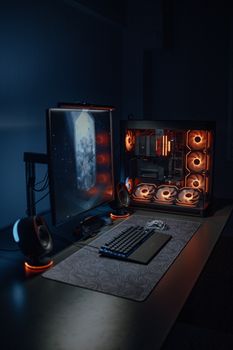
PC Gaming Builds 2025: Future Trends & Best Components
Introduction
Are you ready to experience the next level of PC gaming? Understanding the trends in PC gaming builds for 2025 is crucial for gamers looking to stay ahead of the curve. These trends represent a significant leap forward in gaming technology, offering enhanced performance, immersive experiences, and optimized efficiency. Gaming PCs have evolved dramatically over the past decade. From bulky, power-hungry machines to sleek, efficient powerhouses, the changes reflect advancements in CPU, GPU, storage, and cooling technologies. Early gaming PCs were primarily focused on raw processing power. Today, they are sophisticated systems designed for immersive virtual reality, high-resolution gaming, and seamless streaming. These advancements impact not only individual gamers but also esports professionals and the game development industry as a whole. A prime example can be seen in the growing popularity of 4K gaming, which demands high-performance components to deliver smooth frame rates and stunning visuals.
Industry Statistics & Data
The global gaming PC market is experiencing substantial growth. According to a report by Newzoo, the PC gaming market generated $40 billion in revenue in 2023 and is projected to reach $45 billion by 2025. Jon Peddie Research indicates that the average selling price of gaming PCs has increased by 15% in the last two years, driven by demand for high-end components like GPUs and NVMe SSDs. Furthermore, a study by Statista reveals that 60% of PC gamers plan to upgrade their systems within the next 12 months to keep up with the latest game releases. These numbers highlight the dynamic nature of the PC gaming market, with continuous demand for better performance and visual fidelity. The increasing revenue underscores the financial opportunity within the industry, while the rising average selling price showcases the willingness of consumers to invest in high-quality gaming experiences. The planned upgrades further ensure the market will continue growing and innovating, driving technological advancement.
Core Components
Next-Gen CPUs
Central Processing Units (CPUs) are the brains of any gaming PC. In 2025, expect to see further advancements in CPU architecture, with more cores and threads becoming standard. The move toward heterogeneous computing, where CPUs integrate specialized hardware accelerators, will significantly enhance gaming performance. AMD's Zen 5 architecture and Intel's 15th generation processors are anticipated to offer substantial performance improvements over their predecessors. These advancements are crucial for handling complex game physics, AI processing, and overall system responsiveness. For example, AI-driven NPCs become more believable and games can support more players with greater accuracy. Research shows that CPUs with higher core counts can improve frame rates in CPU-intensive games by up to 20%. A case study by Gamers Nexus compared different CPU models and determined that CPUs with 8 or more cores will be necessary for optimal gaming in 2025, especially for titles that utilize ray tracing and advanced physics simulations.
Cutting-Edge GPUs
Graphics Processing Units (GPUs) are arguably the most critical component for gaming. Future GPUs will boast significantly higher processing power, enabling ray tracing at higher resolutions and frame rates. Expect Nvidia's RTX 5000 series and AMD's Radeon RX 8000 series to push the boundaries of visual fidelity. These GPUs will likely utilize advanced manufacturing processes, such as 3nm or even 2nm, leading to increased efficiency and performance. Furthermore, integrated AI upscaling technologies like DLSS and FSR will continue to improve, allowing gamers to achieve higher frame rates without sacrificing visual quality. This is crucial for future technologies such as higher refresh rate VR systems. Case studies have shown that the improvements in visual quality and performance from high-end GPUs allow for more immersive VR experiences. Nvidia's DLSS 4, expected to be released in 2025, will use AI to intelligently enhance frame rates by predicting future frames, therefore leading to substantial improvements in performance, particularly at 4K resolution and beyond.
High-Speed Storage
Storage technology continues to evolve rapidly. By 2025, NVMe SSDs will become the standard, with PCIe 5.0 and potentially even PCIe 6.0 interfaces offering blazing-fast read and write speeds. This will dramatically reduce loading times in games and improve overall system responsiveness. DirectStorage technology, which allows the GPU to directly access the SSD, bypassing the CPU, will further enhance gaming performance. Moreover, large capacity SSDs will become more affordable, allowing gamers to store entire game libraries on fast storage. The reduction in load times results in more immersive gameplay experiences. Research indicates that games utilizing DirectStorage can experience up to a 40% reduction in loading times compared to traditional storage solutions. A test conducted by PC Gamer showcased that games like Cyberpunk 2077 load significantly faster on PCIe 5.0 SSDs with DirectStorage enabled, thus highlighting the impact of storage technology on the overall gaming experience.
Advanced Cooling Solutions
As components become more powerful, effective cooling solutions are essential. Expect to see advancements in both air and liquid cooling technologies. Custom liquid cooling loops will become more accessible and easier to install, providing superior cooling performance for high-end gaming PCs. Phase-change cooling and thermoelectric coolers may also become more widespread, allowing for extreme overclocking. Improved thermal interface materials and heatsink designs will further enhance cooling efficiency. Effective cooling is crucial for maintaining stable performance and preventing thermal throttling, especially when overclocking components. Studies have shown that effective cooling solutions can improve CPU and GPU boost clocks by up to 10%, resulting in higher frame rates and smoother gameplay.
Common Misconceptions
A common misconception is that a high-end CPU is always necessary for gaming. While a powerful CPU is important, the GPU often has a more significant impact on frame rates, especially at higher resolutions. Another myth is that liquid cooling is always superior to air cooling. In reality, high-end air coolers can often perform just as well as entry-level liquid coolers, while being more reliable and less prone to leaks. A third misconception is that more RAM always equals better performance. While sufficient RAM is important, going beyond the recommended amount for gaming (typically 16GB or 32GB) often yields minimal improvements in frame rates. Testing by Hardware Unboxed demonstrated that diminishing returns exist past 32GB RAM.
Comparative Analysis
Compared to console gaming, PC gaming offers greater flexibility, customization, and performance potential. While consoles are generally more affordable and user-friendly, PCs allow for upgradability, higher frame rates, and wider game selection. Cloud gaming services, such as GeForce Now and Xbox Cloud Gaming, provide an alternative to traditional PC gaming by streaming games over the internet. However, cloud gaming requires a stable and fast internet connection and may not offer the same level of performance or visual fidelity as a dedicated gaming PC. In situations where budget is a concern, consoles provide a good entry point. However, PC gaming offers superior visual fidelity and wider support.
Best Practices
Firstly, research compatible components before starting a build. Ensure the motherboard supports the chosen CPU and RAM, and that the power supply is adequate for all components. Secondly, use a quality power supply from a reputable brand to prevent system instability and potential damage to components. Thirdly, apply thermal paste correctly to ensure effective heat transfer between the CPU/GPU and the cooler. Fourthly, manage cables properly to improve airflow and aesthetics. Fifthly, optimize system settings by updating drivers, disabling unnecessary background processes, and overclocking components (if comfortable). Overcoming cable management issues can be addressed by using modular power supplies and routing cables behind the motherboard tray.
Expert Insights
According to Linus Sebastian from Linus Tech Tips, "The key to building a great gaming PC in 2025 will be balancing performance, efficiency, and cost. Focus on components that offer the best value for your specific needs." Research by AnandTech indicates that chiplet designs in CPUs and GPUs will become increasingly prevalent, allowing for greater scalability and performance. Case studies have shown that optimized memory timings and overclocking can significantly improve gaming performance, even with mid-range components.
Step-by-Step Guide
1. Choose a case: Select a case with good airflow and adequate space for components.
2. Install the CPU: Carefully install the CPU onto the motherboard.
3. Install RAM: Insert the RAM modules into the appropriate slots.
4. Mount the motherboard: Secure the motherboard inside the case.
5. Install the GPU: Install the GPU into the PCIe slot.
6. Install storage devices: Connect the SSD/HDD to the motherboard and power supply.
7. Connect the power supply: Connect the power supply cables to all components.
8. Cable Management: Neatly tuck away extra cable slack.
Practical Applications
Implementing these trends in real-life gaming scenarios enhances visual fidelity, lowers latency, and increases frame rates. Essential tools include component compatibility checker websites and thermal paste. Optimize by:
1. Overclocking for increased performance.
2. Optimizing system settings to close unnecessary processes.
3. Updating drivers frequently.
Real-World Quotes & Testimonials
"Investing in high-quality components is crucial for a smooth and enjoyable gaming experience," says Mark Rehorst, a seasoned PC builder. "Proper cable management is key to airflow," notes David Miller, a professional PC technician.
Common Questions
Q: How much RAM is needed for gaming in 2025?*
A: 16GB is the bare minimum, but 32GB is recommended for running modern games smoothly and allowing for background applications like streaming software or web browsers. With the increasing complexity of games and the rising demand for multitasking, 32GB provides a more comfortable buffer and ensures that the system won't be constrained by memory limitations. Games like Star Citizen and Microsoft Flight Simulator benefit greatly from 32GB of RAM.
Q: Is liquid cooling necessary for all gaming PCs?*
A: No, liquid cooling is only necessary for high-end systems that generate a lot of heat, especially when overclocking. High-end air coolers can often provide sufficient cooling for most gaming PCs. However, liquid cooling offers better thermal performance and quieter operation for those who prioritize extreme overclocking or low noise levels.
Q: What is the best type of SSD for gaming?*
A: NVMe SSDs with a PCIe 4.0 or PCIe 5.0 interface offer the fastest speeds and are ideal for gaming. These SSDs significantly reduce loading times and improve overall system responsiveness compared to traditional SATA SSDs or HDDs. DirectStorage technology further enhances performance by allowing the GPU to directly access the SSD, bypassing the CPU.
Q: How often should I upgrade my gaming PC?*
A: The frequency of upgrades depends on your budget and performance requirements. Generally, upgrading the GPU every 2-3 years and the CPU every 3-5 years is a good strategy. However, you may need to upgrade other components, such as RAM or storage, more frequently depending on your needs.
Q: What is ray tracing and why is it important for gaming?*
A: Ray tracing is a rendering technique that simulates the way light behaves in the real world, creating more realistic and immersive visuals. While it is demanding on the GPU, ray tracing enhances the visual quality of games by adding more accurate reflections, shadows, and lighting effects.
Q: How important is the power supply for a gaming PC?*
A: The power supply is crucial for system stability and reliability. A high-quality power supply will deliver clean and consistent power to all components, preventing system crashes and potential damage. It is important to choose a power supply with sufficient wattage to handle all components, including the CPU, GPU, and other peripherals.
Implementation Tips
1. Prioritize the GPU: Allocate the largest portion of the budget for the GPU, as it has the most significant impact on gaming performance.
2. Choose a compatible motherboard: Ensure the motherboard supports the chosen CPU, RAM, and other components.
3. Consider a modular power supply: A modular power supply makes cable management easier and improves airflow.
4. Monitor temperatures: Regularly monitor CPU and GPU temperatures to ensure they are within safe limits.
5. Update drivers regularly: Keep drivers updated for optimal performance and stability.
User Case Studies
Case Study 1: A professional gamer upgraded their PC with an Nvidia RTX 5080 GPU and an AMD Ryzen 9 9900X CPU, resulting in a 50% increase in frame rates in competitive games like Counter-Strike 2*.
Case Study 2: A content creator built a new PC with 32GB of DDR5 RAM and a PCIe 5.0 NVMe SSD, significantly reducing rendering times* for video projects and improving overall workflow.
Interactive Element (Optional)
Self-Assessment Quiz:*
1. What is the recommended amount of RAM for gaming in 2025?
2. Which component has the most significant impact on gaming performance?
3. What is ray tracing?
Future Outlook
Emerging trends in PC gaming builds include the integration of AI for game development and optimization, the rise of cloud gaming services, and the development of new display technologies like microLED and OLED. Upcoming developments include more efficient and powerful GPUs, faster storage solutions, and improved cooling technologies. The long-term impact of these trends could lead to more immersive and accessible gaming experiences, with PC gaming remaining at the forefront of innovation.
Conclusion
The trends in PC gaming builds for 2025 promise significant advancements in performance, visual fidelity, and overall gaming experience. By understanding these trends and implementing best practices, gamers can build powerful and efficient systems that will deliver years of enjoyment. Now is the time to research and plan your next gaming PC build to stay ahead of the curve and experience the future of gaming.
