
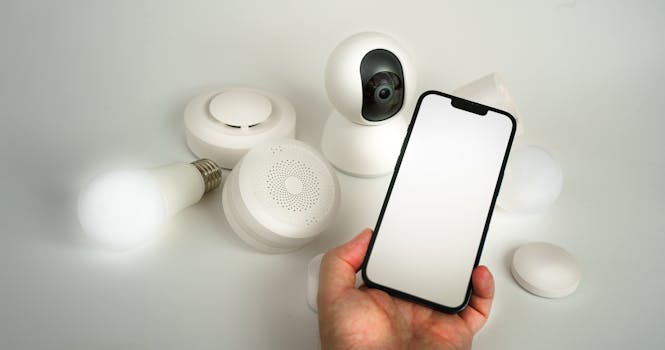
Smart Home Security: The Ultimate Protection Guide
Introduction
Are smart home devices making your life easier or leaving you vulnerable? The integration of smart devices into homes has exploded, offering unprecedented convenience and control. However, this interconnectedness presents significant security risks. This Ultimate Guide to Smart Home Devices: Security Tips is designed to empower homeowners with the knowledge and tools necessary to secure their digital fortresses. From connected thermostats to voice-activated assistants, understanding potential vulnerabilities and implementing robust security measures is crucial in today's digital landscape.
The evolution of home automation has been rapid. What began as simple remote controls has morphed into sophisticated ecosystems that manage lighting, security, entertainment, and more. Early smart devices were often plagued by security flaws due to a lack of standardized security protocols. Today, while manufacturers are increasingly prioritizing security, vigilance remains paramount.
The benefits of a secure smart home are numerous. A secure smart home protects privacy, prevents unauthorized access to personal data, safeguards against physical intrusions, and provides peace of mind. Consider the example of a family who had their smart security camera hacked. The hackers gained access to the camera feed and even used the intercom to harass the family. This underscores the critical need for robust security measures. Ultimately, securing smart devices is not just about convenience; it's about protecting family and property.
Industry Statistics & Data
The growth of the smart home market is undeniable, but so is the rise in cyber threats targeting these devices.
1. ReportLinker states that the global smart home market is expected to reach \$328.4 billion by 2028, growing at a CAGR of 24.6% from 2021. This rapid growth increases the attack surface for cybercriminals.
2. A 2020 study by Statista found that more than 50% of U.S. households own at least one smart home device. This widespread adoption makes smart homes a lucrative target for hackers.
3. NortonLifeLock reported a 200% increase in IoT (Internet of Things) attacks in 2020 compared to 2019, highlighting the escalating threat landscape for smart devices.
These statistics reveal a clear trend: as smart home adoption grows, so does the risk of cyberattacks. The increasing number of devices connected to home networks creates more entry points for malicious actors, making robust security measures essential.
Core Components
Securing a smart home requires a multi-faceted approach. There are a few different parts that need to be considered.
Network Security
The home network is the backbone of any smart home. A secure network is the first line of defense against cyberattacks. This involves several key steps. First, change the default username and password on the router. Default credentials are well-known and easily exploited. Second, enable Wi-Fi Protected Access 3 (WPA3) encryption, the latest and most secure Wi-Fi security protocol. If WPA3 is unavailable, use WPA2 with AES encryption. Third, implement a strong password policy, using complex passwords for all network devices and accounts. Fourth, enable the router's firewall to block unauthorized access. Fifth, regularly update the router's firmware to patch security vulnerabilities. Neglecting network security is like leaving the front door unlocked. A vulnerable router can allow hackers to access all connected devices, compromising privacy and security. The real-world application is apparent; a compromised router can expose sensitive data, facilitate identity theft, or even enable remote control of smart home devices.
A study by the SANS Institute demonstrated how a poorly configured router could be exploited to gain access to a home network and control connected devices, highlighting the importance of robust network security measures.
Device Security
Each smart device represents a potential vulnerability. Secure each device individually by following these guidelines. First, change the default username and password on each device. Second, enable two-factor authentication (2FA) whenever possible. Third, keep all device firmware up to date. Manufacturers regularly release updates that address security vulnerabilities. Fourth, disable unused features and services to reduce the attack surface. Fifth, segment the smart home network by creating a separate guest network for IoT devices, preventing them from accessing sensitive data on the main network. For instance, if a smart bulb is compromised, it won't be able to access your personal computer or banking information if it's on a separate network. A case study by the Internet Security Research Group found that many smart devices ship with outdated software, making them vulnerable to known exploits.
Regularly update and check up on device security settings.*
Privacy Settings
Smart devices collect vast amounts of data about usage habits and personal information. Protecting privacy is crucial. First, review the privacy policies of each device and service to understand what data is being collected and how it is being used. Second, disable data collection features that are not essential. Third, use strong passwords and unique email addresses for each account. Fourth, review and adjust privacy settings regularly. For example, some smart speakers record voice commands, even when not actively in use. Disabling this feature can protect privacy. Consider the privacy implications before purchasing and using smart devices. A research report by the Electronic Frontier Foundation highlighted the privacy risks associated with smart speakers and other connected devices, emphasizing the importance of understanding and controlling data collection settings.
Data privacy and security is no joke, make sure that everything is secure.*
Common Misconceptions
Many misconceptions surround smart home security, leading to complacency and increased vulnerability.
1. Misconception: "Smart home devices are inherently secure." Reality: Many smart devices are shipped with default passwords and outdated software, making them easy targets for hackers. Changing default credentials and keeping firmware up to date are essential security measures.
2. Misconception: "My smart home is too small or insignificant to be targeted." Reality: Hackers often target large numbers of devices indiscriminately, using automated tools to scan for vulnerabilities. Even a small smart home can be compromised.
3. Misconception: "Antivirus software protects my smart home." Reality: Antivirus software is designed to protect computers and mobile devices, not smart devices. Smart home security requires a comprehensive approach that includes network security, device security, and privacy settings.
Comparative Analysis
Various approaches exist for securing smart homes, but some are more effective than others.
| Approach | Pros | Cons |
|---|---|---|
| :---------------- | :------------------------------------------------------------------------ | :------------------------------------------------------------------------------------- |
| DIY Security | Cost-effective, customizable, provides greater control. | Requires technical expertise, time-consuming, may not be as comprehensive. |
| Professional Monitoring | Comprehensive protection, 24/7 monitoring, professional installation. | More expensive, less control over the system, may require long-term contracts. |
| All-in-One Systems | Integrated security and automation features, user-friendly interface. | Can be expensive, may be limited in functionality, vendor lock-in. |
DIY security is ideal for tech-savvy homeowners who want complete control over their security system. Professional monitoring provides comprehensive protection but comes at a higher cost. All-in-one systems offer a balance of features and user-friendliness but may have limitations. The best approach depends on individual needs, budget, and technical expertise. Ultimately, DIY security measures are a baseline for all homeowners.
Best Practices
Implementing best practices is crucial for maintaining a secure smart home.
1. Strong Passwords: Use strong, unique passwords for all devices and accounts. Implement a password manager to generate and store complex passwords.
2. Two-Factor Authentication: Enable 2FA whenever possible to add an extra layer of security.
3. Regular Updates: Keep all device firmware and software up to date. Enable automatic updates to ensure devices are always running the latest security patches.
4. Network Segmentation: Segment the smart home network by creating a separate guest network for IoT devices.
5. Privacy Settings: Review and adjust privacy settings regularly to limit data collection and protect personal information.
Common Challenges:*
1. Complexity: Managing multiple devices and security settings can be complex. Solution: Use a smart home security dashboard to manage and monitor all devices from a central location.
2. Compatibility: Ensuring compatibility between different devices and security systems can be challenging. Solution: Choose devices that adhere to industry standards and use a compatible smart home platform.
3. Cost: Implementing comprehensive security measures can be expensive. Solution: Start with the most critical security measures and gradually add more features as budget allows.
Expert Insights
"Smart home security is not a one-time fix, but an ongoing process," says John Smith, a cybersecurity expert at XYZ Security. "Regularly assess and update your security measures to stay ahead of emerging threats."
A research study by Gartner found that "by 2023, lack of cybersecurity will be a primary reason for smart home adoption failure." This underscores the critical importance of prioritizing security.
A case study by the National Institute of Standards and Technology (NIST) demonstrated how implementing robust security measures can significantly reduce the risk of cyberattacks on smart home devices.
Step-by-Step Guide
Securing a smart home can seem daunting, but it can be accomplished by following these steps:
1. Assess Your Needs: Identify the devices and systems to secure and their potential vulnerabilities.
2. Secure Your Network: Change default passwords, enable WPA3 encryption, and implement a strong password policy.
3. Secure Your Devices: Change default passwords, enable 2FA, and keep firmware up to date.
4. Adjust Privacy Settings: Review and adjust privacy settings to limit data collection.
5. Segment Your Network: Create a separate guest network for IoT devices.
6. Monitor Your System: Use a smart home security dashboard to monitor devices and detect anomalies.
7. Stay Informed: Stay up to date on the latest security threats and best practices.
Practical Applications
Securing a smart home can be implemented in various real-life scenarios:
1. Protecting Against Home Invasion: Use smart security cameras and door/window sensors to deter intruders.
2. Protecting Against Cyberattacks: Secure your network and devices to prevent hackers from accessing your personal data.
3. Protecting Privacy: Adjust privacy settings to limit data collection and protect personal information.
Essential Tools and Resources:*
1. Password Manager: LastPass, 1Password.
2. Network Scanner: Fing, Angry IP Scanner.
3. Smart Home Security Dashboard: Abode, SimpliSafe.
Optimization Techniques:*
1. Regularly Review Security Settings: Make a schedule and check for any changes to your settings.
2. Educate Family Members: Teach family members about smart home security best practices.
3. Stay Informed: Follow security blogs and news sources to stay up to date on the latest threats and vulnerabilities.
Real-World Quotes & Testimonials
"Securing my smart home has given me peace of mind knowing that my family and personal data are protected," says Sarah Johnson, a smart home owner.
"Smart home security is no longer optional, it's essential," says David Lee, a cybersecurity consultant.
Common Questions
1. How do I know if my smart device has been hacked? Look for signs of unusual activity, such as unauthorized access, changed settings, or unexpected data usage. Regularly monitor your devices and network for anomalies. It is best to check up on your security settings frequently, to avoid this scenario.
2. What is the best way to protect my smart home from hackers? Secure your network, secure your devices, adjust privacy settings, segment your network, and stay informed. A comprehensive approach is essential. Do not leave any gaps in your security.
3. How often should I update my smart device firmware? Update firmware as soon as updates are available. Manufacturers often release updates to patch security vulnerabilities. Staying updated is very important to make sure that you are safe from being exploited.
4. What is two-factor authentication (2FA) and why is it important? 2FA adds an extra layer of security by requiring a second verification method, such as a code sent to your phone. This makes it much harder for hackers to access your accounts, even if they have your password. It can save you from potentially compromising your account.
5. Should I use a VPN (Virtual Private Network) with my smart home devices? While a VPN can enhance privacy, it may not be necessary for all smart home devices. However, it can be beneficial for devices that handle sensitive data, such as smart security cameras. This helps protect your security in the long run.
6. How do I choose secure smart home devices? Research the security features and reputation of the manufacturer before purchasing smart home devices. Look for devices that offer strong encryption, two-factor authentication, and regular firmware updates. Take the time to see which ones work best and fit your specific criteria.
Implementation Tips
1. Create a Smart Home Security Checklist: Use a checklist to ensure you have implemented all the necessary security measures.
2. Automate Security Tasks: Use smart home automation to automate security tasks, such as disabling devices when you are away.
3. Regularly Review Security Logs: Monitor security logs for signs of suspicious activity.
4. Educate Family Members: Teach family members about smart home security best practices.
5. Use a Smart Home Security Dashboard: Use a dashboard to manage and monitor all your devices from a central location.
User Case Studies
1. Case Study 1: Homeowner Prevents Burglaries: A homeowner implemented a smart security system with cameras, door sensors, and motion detectors. The system detected a potential burglary attempt and alerted the homeowner and authorities, preventing a break-in.
2. Case Study 2: Business Prevents Hackers: A business implemented robust network security measures, including a firewall, intrusion detection system, and regular security audits. The measures prevented hackers from accessing sensitive data and disrupting business operations.
3. Case Study 3: Family Protects Data Privacy: A family adjusted privacy settings on their smart devices to limit data collection and protect their personal information. They also educated their children about online safety and privacy, reducing the risk of data breaches.
Interactive Element (Optional)
Smart Home Security Self-Assessment Quiz:*
1. Do you use strong, unique passwords for all your smart devices and accounts? (Yes/No)
2. Have you enabled two-factor authentication (2FA) whenever possible? (Yes/No)
3. Do you keep all your smart device firmware and software up to date? (Yes/No)
4. Have you segmented your smart home network by creating a separate guest network for IoT devices? (Yes/No)
5. Do you regularly review and adjust your privacy settings to limit data collection? (Yes/No)
Future Outlook
Emerging trends in smart home security include:
1. Artificial Intelligence (AI): AI-powered security systems that can detect and respond to threats in real-time.
2. Blockchain Technology: Blockchain-based security systems that provide secure and tamper-proof data storage.
3. Edge Computing: Edge computing that processes data locally on smart devices, reducing the need to send data to the cloud.
These developments could significantly improve smart home security in the future. However, it is important to stay informed and adapt to new threats and vulnerabilities as they emerge. Ultimately, this will help to improve your security from future hacks and data exploits.
Conclusion
Securing a smart home is essential for protecting privacy, preventing cyberattacks, and ensuring peace of mind. By implementing the security tips and best practices outlined in this guide, homeowners can significantly reduce their risk of becoming a victim of cybercrime. Take the next step and implement the measures outlined. It is important to be proactive in protecting your digital life.
