
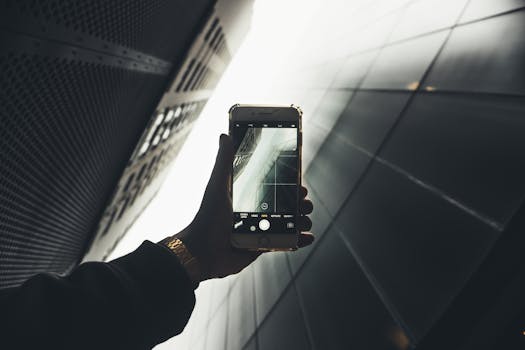
Smartphone Photography: Pros & Cons + Industry Insights
Introduction
Is the future of professional photography in your pocket? Smartphone photography has rapidly evolved from a convenient snapshot tool to a legitimate contender in various photographic fields. Understanding the pros and cons of smartphone photography, along with insights into its impact on the industry, is crucial for anyone involved in content creation, marketing, or even casual photography. Its importance stems from its accessibility and convenience, disrupting traditional photographic practices and democratizing image creation.
Historically, photography was a specialized skill requiring expensive equipment and extensive training. The invention of digital cameras made photography more accessible, but smartphones took it to a whole new level. Early smartphone cameras were rudimentary, offering low resolution and limited functionality. However, rapid technological advancements have led to sophisticated camera systems in modern smartphones, boasting features like multiple lenses, advanced image processing, and computational photography. These advancements have dramatically narrowed the gap between smartphone cameras and traditional cameras.
Key benefits include portability, instant sharing capabilities, and user-friendly interfaces. Smartphones enable individuals to capture and share moments instantly, fueling the growth of social media and influencing visual communication across various platforms. The impact is substantial across industries. Businesses utilize smartphone photography for product shots, marketing materials, and documenting events. Journalists leverage the unobtrusive nature of smartphone cameras for on-the-ground reporting. Real estate agents showcase properties with high-quality images taken on their phones.
A real-world example is the rise of mobile journalism (mojo). News organizations increasingly rely on journalists equipped with smartphones to cover events and create multimedia content. The immediacy and accessibility of smartphone photography allow journalists to report stories quickly and efficiently, often bypassing the need for bulky equipment and large crews.
Industry Statistics & Data
The impact of smartphone photography on the photography industry is profound, underscored by several key statistics:
1. Market Size: The global smartphone camera market was valued at USD 36.98 billion in 2023 and is projected to grow to USD 77.09 billion by 2032, exhibiting a CAGR of 8.5% during the forecast period (Fortune Business Insights, 2024). This growth highlights the increasing dominance of smartphones as primary photography devices.
2. Image Capture: Studies show that over 85% of photos taken globally are captured using smartphones (Statista, 2023). This statistic underscores the overwhelming preference for smartphone photography due to its convenience and accessibility.
3. Professional Usage: A survey revealed that approximately 40% of professional photographers use smartphones for certain aspects of their work, such as behind-the-scenes content or quick location scouting (Professional Photographer Magazine, 2022). This indicates a growing acceptance of smartphone photography even within professional circles.
The data paints a clear picture: smartphone photography is not just a trend, but a dominant force in the image-making landscape. The significant market size and the sheer volume of images captured using smartphones demonstrate the widespread adoption and influence of this technology. While traditional cameras still hold their ground in specialized areas, the industry is undeniably shaped by the proliferation of smartphone cameras.
Core Components
Smartphone photography's success can be attributed to several core components:
Camera Hardware and Lens Technology
Modern smartphones feature sophisticated camera hardware. Multiple lenses (wide, ultra-wide, telephoto) provide versatility in framing and perspective. Sensor size, pixel size, and aperture determine the amount of light captured, impacting image quality, especially in low-light conditions. Advancements in lens technology, such as aspherical elements and optical image stabilization (OIS), improve sharpness and reduce blur. These hardware improvements have dramatically enhanced the image quality of smartphone cameras.
Real-world application:* Architectural photographers often rely on ultra-wide lenses in smartphones to capture expansive building facades. The portability of smartphones allows them to capture shots quickly and discreetly, which is advantageous in urban environments. Case studies demonstrate that these images, when properly processed, are suitable for online portfolios and even small-scale prints. Research indicates that high-end smartphones can produce images comparable to entry-level DSLRs in well-lit conditions.
Computational Photography and Image Processing
Computational photography is a game-changer in smartphone imaging. It leverages algorithms to enhance images beyond the capabilities of the hardware alone. Features like High Dynamic Range (HDR), Night Mode, and Portrait Mode rely on computational techniques to merge multiple exposures, reduce noise, and simulate shallow depth of field. AI-powered scene recognition automatically optimizes camera settings for different shooting scenarios. This combination of hardware and software enables smartphones to capture stunning images even in challenging conditions.
Real-world application:* Real estate agents use HDR mode on their smartphones to capture interior shots that showcase both bright windows and dimly lit corners. This ensures that potential buyers see a balanced and appealing image of the property. Research from marketing firms suggests that listings with high-quality HDR photos receive significantly more views and inquiries. Computational photography bridges the gap between smartphone limitations and professional-looking results.
Software and User Interface
The user-friendly interface and intuitive software of smartphone camera apps contribute significantly to their popularity. Simple tap-to-focus, intuitive zoom controls, and easy access to various shooting modes make it accessible to users of all skill levels. Many apps offer advanced features like manual controls (ISO, shutter speed, white balance) for experienced photographers who want more control over their images. Built-in editing tools allow users to enhance their photos instantly, without the need for external software.
Real-world application:* Social media influencers use smartphone apps to quickly edit and upload photos to their platforms. The ease of use allows them to maintain a consistent flow of content and engage with their audience in real time. Case studies on successful influencers show that their reliance on smartphone photography and editing tools is a key factor in their efficiency and authenticity.
Connectivity and Sharing
Instant connectivity and seamless sharing are key advantages of smartphone photography. Photos can be instantly uploaded to social media platforms, cloud storage services, or shared with friends and family via messaging apps. This immediate gratification and ease of sharing have fueled the popularity of smartphone photography, especially among younger generations. Connectivity also enables features like remote camera control and wireless printing.
Real-world application:* Event photographers use smartphone connectivity to instantly upload photos to a shared album for clients to view and download. This eliminates the need for manual file transfers and allows clients to access their photos quickly. Research indicates that immediate photo delivery significantly enhances client satisfaction and repeat business.
Common Misconceptions
Several misconceptions surround smartphone photography:
1. Misconception: Smartphones can completely replace professional cameras. Reality: While smartphones excel in many situations, they still have limitations in terms of sensor size, lens quality, and dynamic range compared to high-end DSLRs or mirrorless cameras. Professionals often require the superior image quality and versatility of dedicated cameras for specific tasks like large-format prints or high-speed action photography.
Counter-evidence:* Astrophotography, for example, typically requires specialized equipment and long exposures that smartphones cannot achieve without significant compromises.
2. Misconception: Image quality is solely determined by megapixel count. Reality: Megapixels are only one factor affecting image quality. Sensor size, lens quality, image processing algorithms, and dynamic range are equally important. A smartphone with a 12-megapixel sensor can produce better images than one with a 48-megapixel sensor if it has superior lens quality or image processing.
Counter-evidence:* The iPhone 14 Pro, with its 48MP main camera, produces excellent images, but its success isn't solely based on megapixel count. Its larger sensor and advanced image processing play a significant role.
3. Misconception: All smartphone cameras are created equal. Reality: There is significant variation in camera quality between different smartphone models and brands. Factors like sensor size, lens quality, image processing capabilities, and software features can vary considerably.
Counter-evidence:* A high-end smartphone like the Samsung Galaxy S23 Ultra will typically outperform a budget smartphone in terms of image quality, especially in low-light conditions.
Comparative Analysis
Smartphone photography is often compared to traditional photography, specifically using DSLRs (Digital Single-Lens Reflex) and mirrorless cameras. Each approach has its strengths and weaknesses:
Smartphone Photography:*
Pros: Portability, convenience, instant sharing, user-friendly interface, affordability (as the camera is integrated into a device most people already own).
Cons: Smaller sensor size, limited lens options, inferior image quality in low-light conditions, less control over settings (though this is improving).
DSLR/Mirrorless Photography:*
Pros: Superior image quality, larger sensor size, interchangeable lenses, greater control over settings, better performance in low-light conditions.
Cons: Bulkier and heavier, more expensive, steeper learning curve, requires more equipment (lenses, accessories).
Smartphone photography excels in situations where portability and convenience are paramount, such as casual snapshots, social media content creation, and travel photography. Traditional cameras are better suited for professional work, demanding high image quality, and specialized shooting scenarios.
Smartphone photography offers a compelling alternative for budget-conscious users and those who prioritize convenience. Its ease of use and instant sharing capabilities have made it a dominant force in the photography landscape. However, for professionals and serious enthusiasts, the superior image quality and versatility of traditional cameras remain essential.
Best Practices
To maximize the potential of smartphone photography, adhere to these best practices:
1. Clean the Lens: A smudged lens can significantly degrade image quality. Regularly clean the lens with a microfiber cloth. This simple step can dramatically improve sharpness and clarity.
2. Utilize Natural Light: Whenever possible, shoot in well-lit environments. Natural light enhances color accuracy and reduces noise. Avoid harsh direct sunlight, which can create overexposed highlights and deep shadows.
3. Master Composition: Apply basic composition principles like the rule of thirds, leading lines, and symmetry to create visually appealing images. Experiment with different angles and perspectives.
4. Explore Camera Settings: Familiarize oneself with the camera app's settings. Adjust exposure, focus, and white balance to fine-tune the image. Experiment with different shooting modes like HDR and panorama.
5. Edit Photos Judiciously: Use photo editing apps to enhance images, but avoid over-processing. Subtle adjustments to brightness, contrast, and color can improve the overall look without making the image appear artificial.
Common challenges and solutions:
Challenge: Blurry photos due to camera shake. Solution: Use a tripod or stabilize the phone against a solid surface. Enable image stabilization if available.
Challenge: Poor image quality in low-light conditions. Solution: Utilize Night Mode if available. Increase exposure compensation. Consider using an external light source.
Challenge: Overly compressed or distorted images. Solution: Shoot in RAW format (if supported by the phone) to preserve more image data. Avoid excessive zooming.
Expert Insights
Industry experts recognize the transformative impact of smartphone photography. "Smartphone cameras have democratized photography, making it accessible to anyone with a mobile device," says renowned photographer Annie Leibovitz. "While they may not replace professional cameras entirely, they have certainly blurred the lines between amateur and professional photography."
Research findings from DxOMark, a leading image quality testing organization, show that top-tier smartphone cameras consistently achieve high scores, rivaling those of some entry-level DSLRs. This indicates that smartphone image quality has reached a level of sophistication that is acceptable for many professional applications.
Case studies demonstrate successful integration of smartphone photography in various fields. For example, a marketing agency used smartphone photos to create a social media campaign for a local restaurant. The authentic and unpolished look of the smartphone photos resonated with the target audience, resulting in increased engagement and brand awareness.
Step-by-Step Guide
Follow these steps to effectively apply smartphone photography:
1. Prepare the Device: Clean the camera lens and ensure the battery is adequately charged.
2. Choose the Right Mode: Select the appropriate shooting mode based on the scene (e.g., photo, video, portrait, night).
3. Frame the Shot: Use composition techniques to create a visually appealing image.
4. Focus and Expose: Tap on the screen to focus on the subject. Adjust exposure compensation if needed.
5. Capture the Image: Press the shutter button to take the photo.
6. Review and Edit: Review the image and make any necessary adjustments using editing apps.
7. Share or Save: Share the image on social media or save it to the device.
Practical Applications
Smartphone photography can be implemented in various real-life scenarios:
1. Documenting Travel: Capture memorable moments on trips without the need for bulky equipment.
2. Creating Social Media Content: Generate engaging visuals for social media platforms.
3. Product Photography for Small Businesses: Showcase products online with professional-looking images.
Essential tools and resources include:
Smartphone tripod
External lens attachment
Photo editing apps (e.g., Adobe Lightroom Mobile, Snapseed)
Optimization techniques:
1. Shoot in RAW format (if available) for greater editing flexibility.
2. Use external lighting to improve image quality in low-light conditions.
3. Experiment with different perspectives to create unique and eye-catching images.
Real-World Quotes & Testimonials
"Smartphone photography has leveled the playing field, allowing anyone to express their creativity through images," says photographer David Yarrow. "It's a powerful tool for storytelling and visual communication."
"As a realtor, I rely on smartphone photography to quickly capture and share property photos with potential buyers," says Sarah Johnson, a real estate agent. "The convenience and image quality are more than adequate for my needs."
Common Questions
1. How can I improve the image quality of my smartphone photos?
Improving image quality involves several factors. Firstly, ensuring the lens is clean is paramount, as even a small smudge can significantly affect clarity. Secondly, utilizing natural light whenever possible makes a substantial difference; avoid harsh direct sunlight and instead opt for diffused light. Additionally, familiarize oneself with the camera app's settings, such as adjusting exposure compensation and focus, to fine-tune images. Furthermore, exploring third-party camera apps that offer more manual control can enhance the photography experience. Finally, consider investing in clip-on lenses, as they can extend the capabilities of the smartphone camera by providing wider or telephoto perspectives.
2. Is it possible to take professional-looking photos with a smartphone?
Yes, achieving professional-looking results with a smartphone is possible. Modern smartphones boast advanced camera systems and computational photography capabilities that can produce high-quality images. Success relies heavily on understanding fundamental photography principles, such as composition, lighting, and focus. Furthermore, shooting in RAW format (if the phone supports it) allows for greater flexibility during post-processing. Editing photos using dedicated apps to adjust exposure, contrast, and color balance is also crucial. Lastly, utilizing accessories like tripods or external lights can further elevate the photography.
3. What are the limitations of smartphone photography compared to traditional cameras?
Despite advancements, smartphone photography has limitations. The smaller sensor size compared to DSLRs and mirrorless cameras restricts light-gathering capabilities, especially in low-light situations, which can result in increased noise. Furthermore, smartphone lenses typically offer less zoom range and shallow depth of field control than dedicated camera lenses. Moreover, while computational photography enhances images, it can sometimes produce unnatural artifacts or overly processed results. Finally, the lack of physical controls on smartphones can make adjusting settings on-the-fly more cumbersome compared to traditional cameras.
4. What are the best photo editing apps for smartphones?
Numerous photo editing apps are available for smartphones, each with its unique strengths. Adobe Lightroom Mobile is a popular choice, offering powerful editing tools and cloud synchronization. Snapseed, developed by Google, is another excellent option with a wide array of filters and precise controls, and it is also free. VSCO is known for its film-like filters and social community. Darkroom provides non-destructive editing and a user-friendly interface. Ultimately, the best app depends on specific needs and preferences, so experimenting with several options is recommended.
5. How can I stabilize my smartphone for sharper photos and videos?
Achieving stability is essential for sharp smartphone photos and videos. A tripod is the most reliable method, providing a stable base for shooting in any situation. For handheld shooting, holding the phone with both hands and bracing elbows against the body helps minimize movement. Engaging the phone's built-in image stabilization feature (if available) can also reduce blur. Additionally, consider using a smartphone gimbal, which employs motors to counteract unwanted movement, resulting in smooth and professional-looking video footage.
6. Is it ethical to heavily edit smartphone photos?
The ethical considerations surrounding editing smartphone photos depend on the context and intention. For personal or artistic expression, extensive editing is generally acceptable. However, in journalistic or documentary photography, heavy manipulation of images may be considered unethical as it can misrepresent reality. Transparency is essential; disclosing that an image has been heavily edited allows viewers to make informed judgments about its authenticity. Ultimately, adhering to ethical guidelines and maintaining integrity are crucial when editing any photograph.
Implementation Tips
1. Master the Manual Mode: Explore manual controls (ISO, shutter speed, focus) to understand their impact on images. Example: Lower the ISO in bright conditions to minimize noise.
2. Utilize HDR in High-Contrast Scenes: HDR mode balances exposure in scenes with significant differences in brightness. Example: Capturing a sunset without losing detail in the foreground.
3. Shoot in Portrait Mode for Shallow Depth of Field: Portrait mode creates a blurred background, emphasizing the subject. Example: Photographing a person with a blurred background that is naturally achieved by a traditional DSLR.
4. Use Grid Lines for Composition: Grid lines assist in aligning the subject according to the rule of thirds. Example: Placing a horizon line on the top or bottom grid line for a balanced landscape shot.
5. Consider Third-Party Camera Apps: Apps like Camera+ offer advanced features and manual controls. Example: Using a third-party app to adjust focus peaking for precise focusing.
6. Experiment with Light Painting: Use a slow shutter speed and a moving light source to create light trails. Example: Creating artistic patterns with a flashlight in a dark environment.
User Case Studies
1. Case Study: Local Restaurant Using Smartphone Photography for Social Media: A small restaurant used smartphone photography to create engaging content for Instagram. The restaurant owner captured high-quality images of their dishes, staff, and ambiance using a smartphone and edited them with a free app. The results were increased engagement and customer traffic.
2. Case Study: Real Estate Agent Using Smartphone Photography for Property Listings: A real estate agent used smartphone photography to create visually appealing property listings. They used the phone's HDR mode to balance exposure in interior shots and edited them to enhance brightness and color. The results were a noticeable increase in inquiries and faster property sales.
Future Outlook
Emerging trends in smartphone photography include:
1. AI-Powered Image Enhancement: AI algorithms will continue to improve image quality, automatically enhancing details, reducing noise, and optimizing colors.
2. Computational Photography Enhancements: Advances in computational photography will enable new features like realistic bokeh simulation, improved zoom capabilities, and enhanced low-light performance.
3. Folding Lenses: Folding lens technology will allow smartphones to achieve higher zoom factors without increasing the thickness of the device.
The long-term impact of smartphone photography will be continued democratization of image creation and increasing integration of photography into various industries. The convergence of smartphone technology and traditional photography will blur the lines between amateur and professional photography further.
Conclusion
Smartphone photography has revolutionized the way images are created and shared. While it has limitations, its convenience, accessibility, and increasing image quality make it a powerful tool for personal expression, content creation, and professional applications. Understanding the pros and cons, mastering best practices, and staying informed about emerging trends are crucial for maximizing the potential of smartphone photography. Embrace this technology and explore its creative possibilities! Consider experimenting with different apps and accessories to find what best suits your needs. Don't be afraid to try new things and push the boundaries of what's possible with your smartphone camera.
